
Editing a person, their photo, or deleting them
Correct a name or dates, upload a photo, and who may edit or delete.
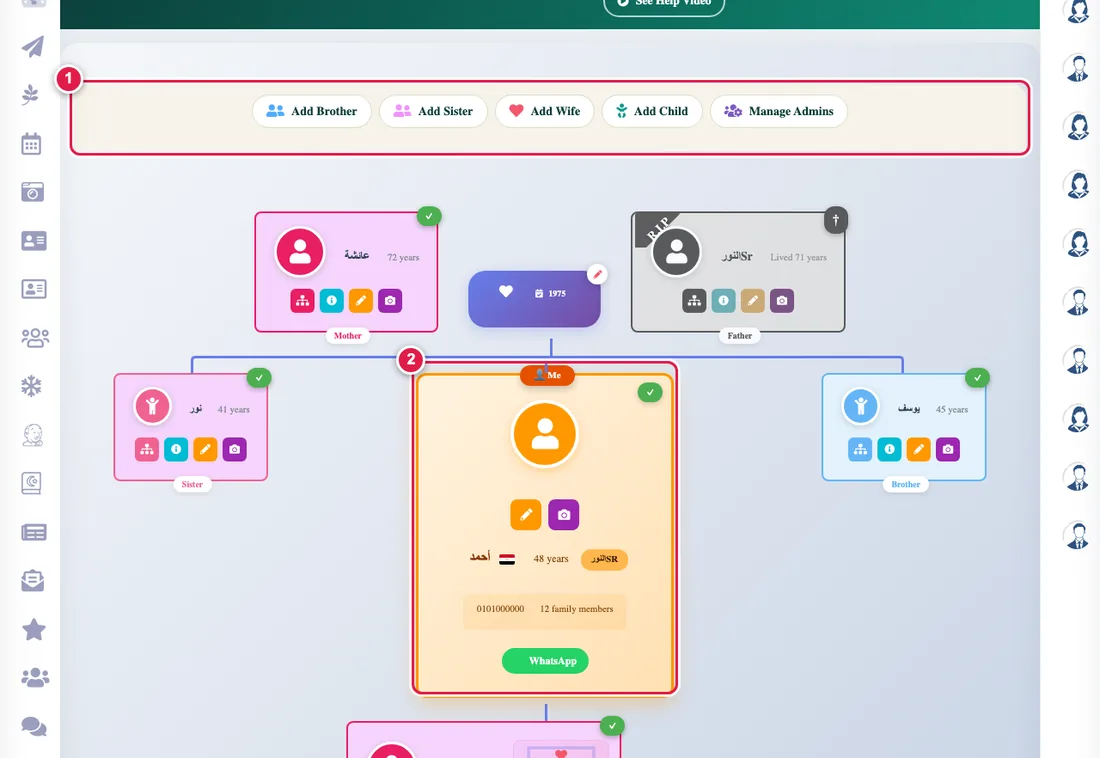
Editing details
- In the tree press the person's card, then Edit.
- Change the name, gender, country, phone or birth date, then save.
Uploading a photo
Press the camera icon on the card and choose a picture. You can choose who sees it: anyone with the link, my tree, or close family only. See the privacy levels.
Who may edit?
- Everyone edits their own details and those of their immediate relatives (parents, siblings, spouse and children).
- The tree admin and its admins edit anyone in it.
Deleting
Deleting is for the tree's creator and the admins who were given that permission; an ordinary user cannot delete anyone. A deleted person disappears from the tree and the counts update. If you are unsure, edit instead of deleting. Recording a death is not deleting: see recording a death.