
Adding a wife, husband, child or sibling
How to add the rest of the relatives to the tree and what happens on each addition.
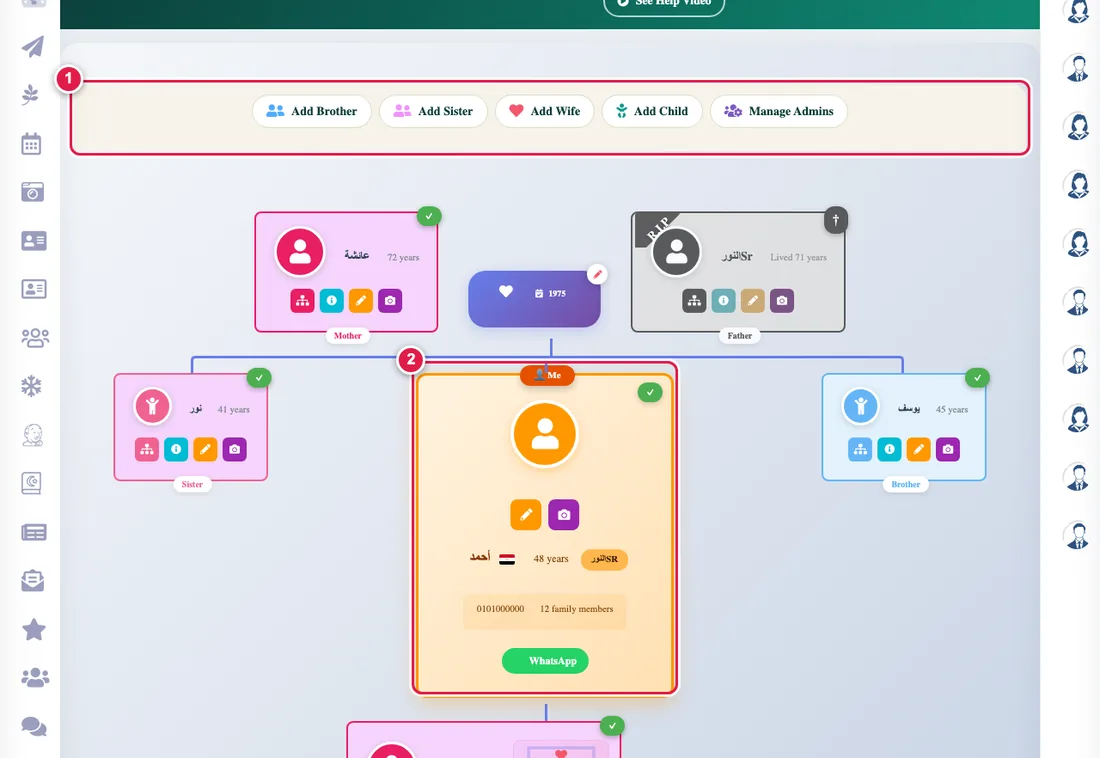
Adding is for the creator and the admins (The rules and how to avoid mistakes). Press the card of the person you want to add to, and the options that fit them appear.
- Add wife / Add husband: enter the name and country, and optionally the marriage date. For someone with more than one wife, repeat the step.
- Add son / daughter: choose the mother (or father), then type the first name, gender and birth date.
- Add a brother or sister: they are linked to the same parents.
Useful notes
- After each addition a window offers to invite the person by WhatsApp. Accept or do it later.
- The numbers on the dashboard update by themselves after an addition.
- Made a mistake? Edit or delete the person.
Tutorial videos are available from the tree tools or from the videos page.