
I cannot find a page in the menu
If a section is missing from the menu or sends you back to the dashboard it is probably off for your tree.
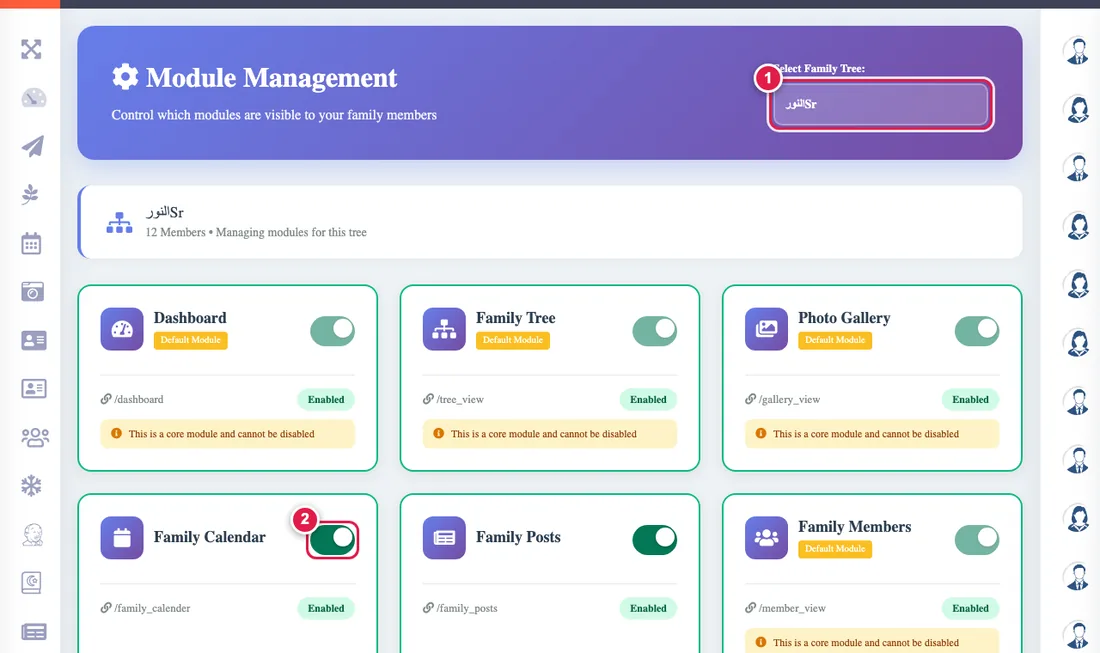
The app's sections (posts, calendar, messages, shares, the wheel...) are switched on for each tree separately, and many are off at the start.
What should I do?
- If you are the tree admin: open Manage modules and switch the section on.
- If you are not: ask your tree admin to switch it on.
- If you opened a link and it sent you back to the dashboard, this is the reason too.
- If all the extra sections (posts, calendar, messages...) disappeared together, your family's plan has probably ended. Your data is fully kept and the sections come back on renewal: Plan and payment.
If the section is on and still does not show, try refreshing the page (Ctrl+F5).