
Switching app sections on (Manage modules)
Choose the sections your tree's members see: posts, calendar, messages, shares and more.
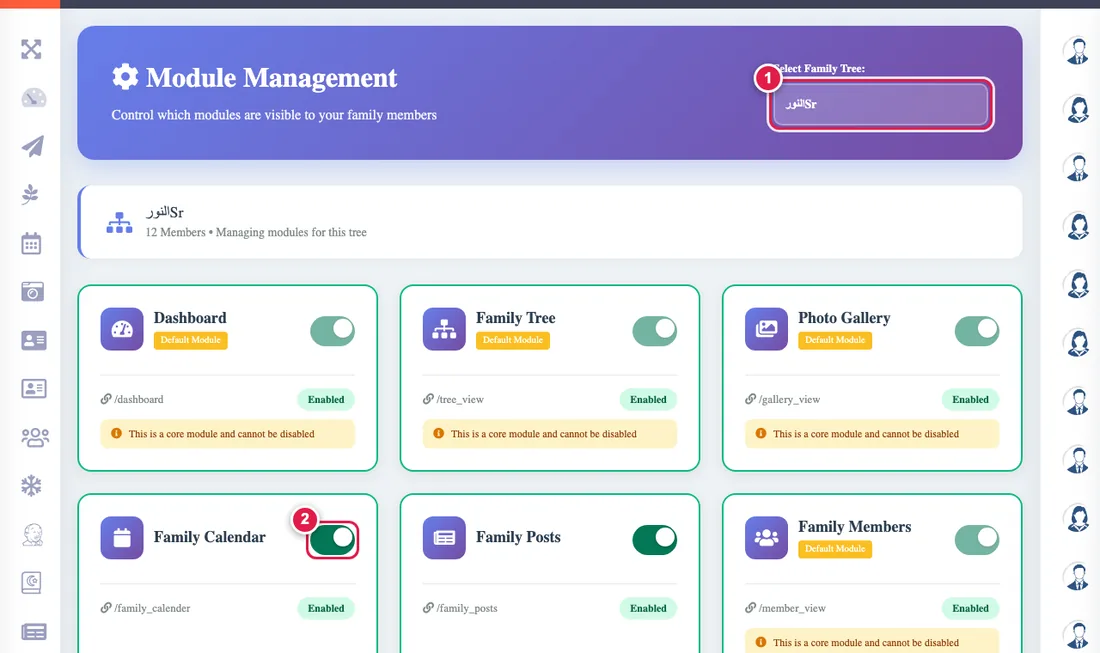
Each tree has modules you control. The core modules (dashboard, tree, gallery, members, phone directory, smart alerts, messages, news, calendar and posts) are always on, free forever, and cannot be turned off. Most of the rest are off until you open them, and need a plan: a Founding Family or a paid plan, see Plan and payment.
- Open Manage modules from the admin console, and choose the tree if you have more than one.
- Flip the module's switch: green = on, grey = off. It saves at once.
- A module that is on appears in the menus of everyone in the tree, and an off one disappears and its pages send people to the dashboard.
If a relative complains that they cannot find a section (Posts for example), check first that it is on here. See I cannot find a page.