
My profile privacy: who sees my phone and photo?
You control your photo, birth date, phone, email, country, posts and personality type.
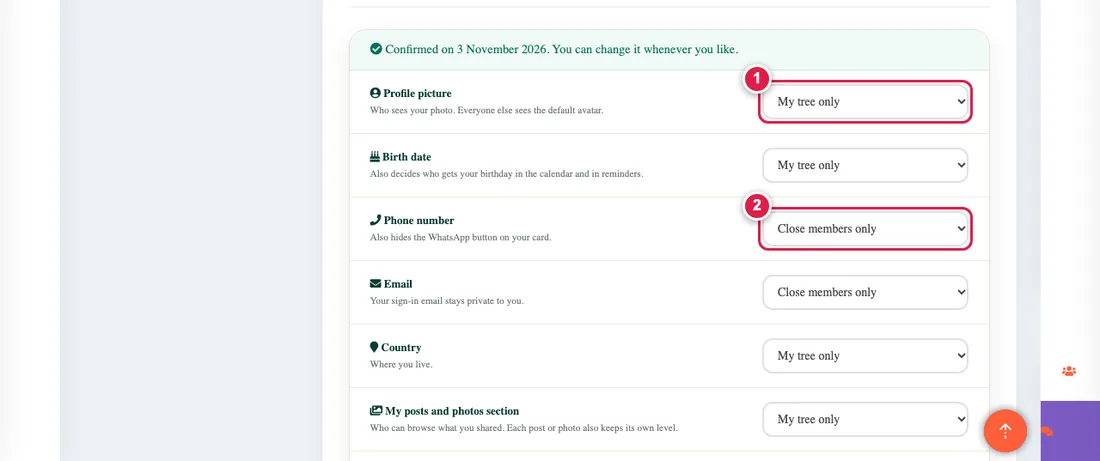
The Profile page has a Privacy tab with seven choices, each with the three levels (read them here):
- My profile picture
- My birth date
- My phone number (default: close family only)
- My email (default: close family only)
- My country
- My posts and photos section
- My personality type from the test (default: close family only)
Steps
- Open the profile and its Privacy tab.
- Choose the level for each item, then press Confirm or Save.
Until you confirm, a reminder asks you to review your choices. You can change them at any time.
People added to the tree without an account cannot choose, so their details show to the whole tree as before.