
Writing a post on the family wall
Write text, add a photo or a YouTube video, choose who sees it, and mention relatives.
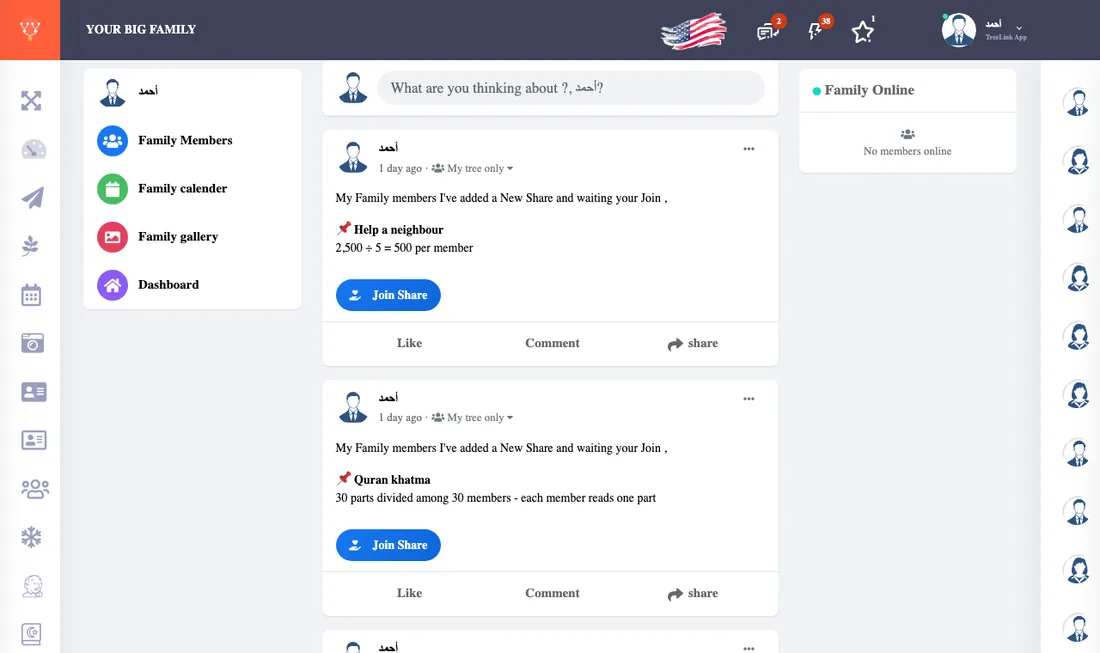
Publishing a post
- Open Family posts and press the "What's on your mind?" box.
- Type your text. For a short text you can pick a coloured background.
- Add a photo from your device, or paste a YouTube link and the video appears in the post.
- Choose who sees the post from the list beside the post button: privacy levels.
- Press Post.
Mentioning a relative
Type @ and the beginning of their name, then pick them from the list, and they get a notice. A mention never reaches someone who may not see the post.
Edit and delete
Every post you wrote has a three-dot menu to edit or delete it. You can change the privacy level later.
Sharing a news item
On the News page the "Share" button moves the item into the post box, ready to post.