
The Messages page: all your conversations
Start a conversation by name, send pictures and files, and delete a message or a conversation.
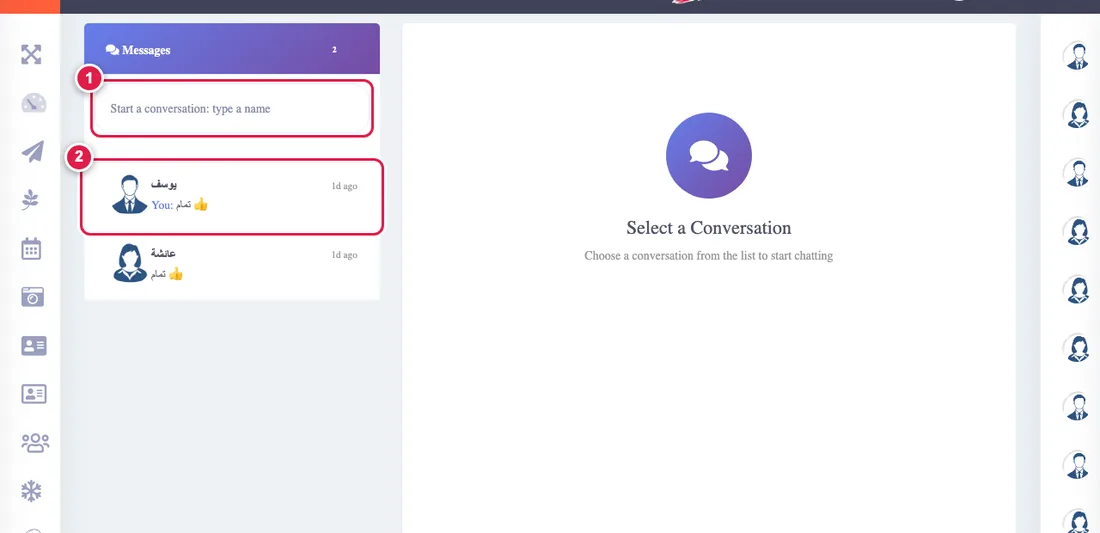
Starting a conversation
Type a relative's name in the "Start a conversation" box at the top of the list, then press their name. You cannot message yourself, someone who passed away, or anyone outside your tree.
Writing and sending
- Enter sends, Shift+Enter makes a new line. A message is at most 1000 characters.
- The newest message is at the bottom, and a conversation opens at its end.
- ✓ means sent and ✓✓ means the other person read it.
- The page refreshes itself every few seconds, so new messages arrive without reloading.
Pictures and PDFs
Press the paperclip and choose a picture (JPG, PNG, GIF or WebP) or a PDF up to 5 MB. Only the two of you can open the file.
Deleting
- Delete a message: the trash icon on your own message only. It is deleted for both of you and "This message was deleted" shows in its place.
- Delete the conversation: the "Delete conversation" button in its header. It hides it for you only, the other person keeps it, and it returns if they write to you again.