
The admin console: what a tree admin does
Tree statistics and management tools: admins, modules, reports, frozen members and famous people.
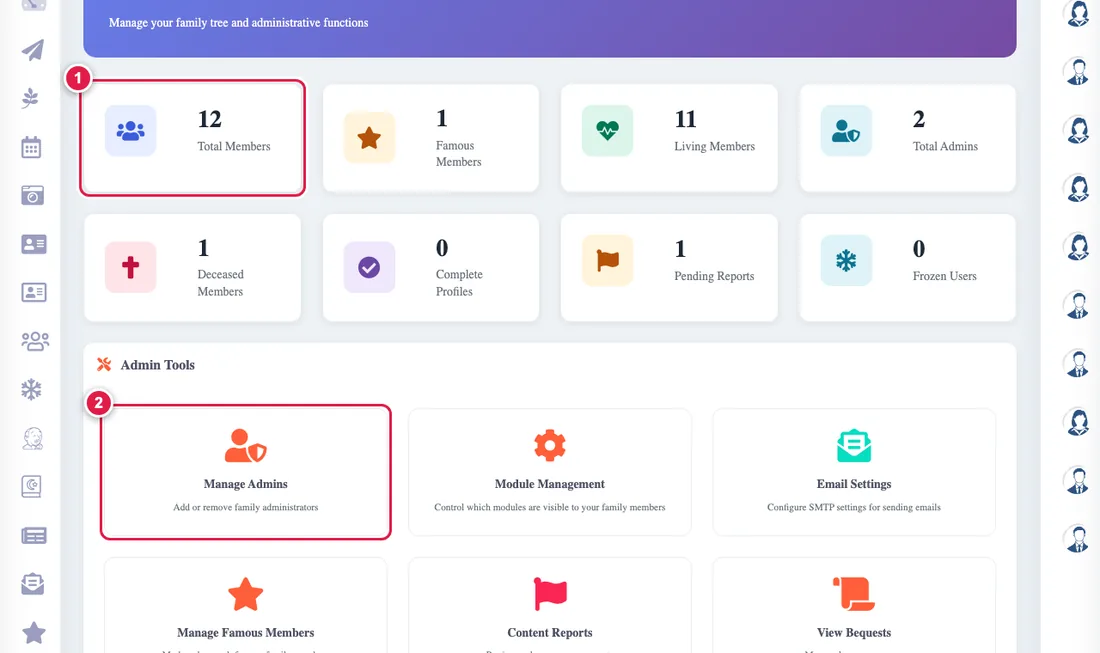
The admin console is shown to the tree's creator or to an admin in it.
- The numbers: everyone in the whole tree, living and deceased, famous people, admins, pending reports and frozen members.
- Manage admins: adding and removing an admin.
- Manage modules: switching sections of the app on.
- Content reports: reviewing reports.
- Manage famous members: choosing the famous.
- Legacy messages: viewing the heritage messages.
If you administer more than one tree, switch between them on the Modules page.