Creating an account and signing in
Sign up with an email or a Google account, confirm your email, and recover a password.
A new account
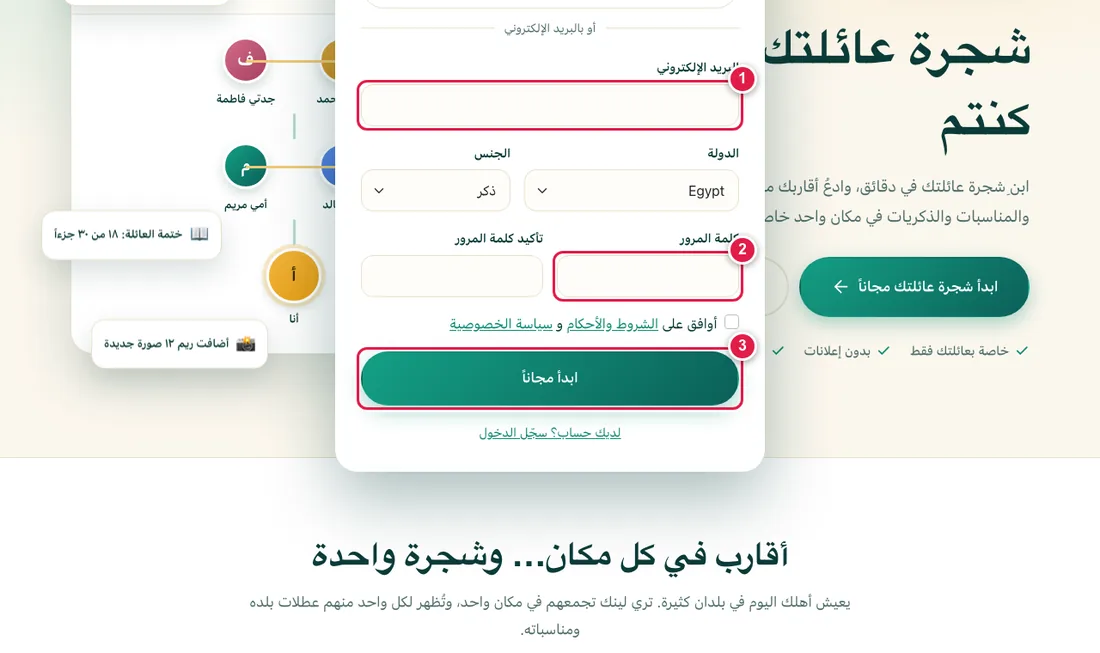
- On the home page press Register, enter your email and a strong password, pick your country and gender, and accept the terms.
- Or press Continue with Google: the account is created in one click and a short page asks for the rest.
- Open your email and press the confirmation link. You cannot enter the app before that, and pressing the link creates your family space and takes you straight to where you started. No email? See I did not get the verification email.
Forgot your password
On the sign-in page choose Forgot password, type your email, and you will get a link to set a new one.
Invited by a relative?
Open the invitation link they sent you and register through it. Your joining counts for them, and afterwards you can link yourself into the family tree. See inviting relatives.