
Joining a share and paying my payments
Pick your part, mark that you paid, wait for the organiser to confirm, and keep track of due dates.
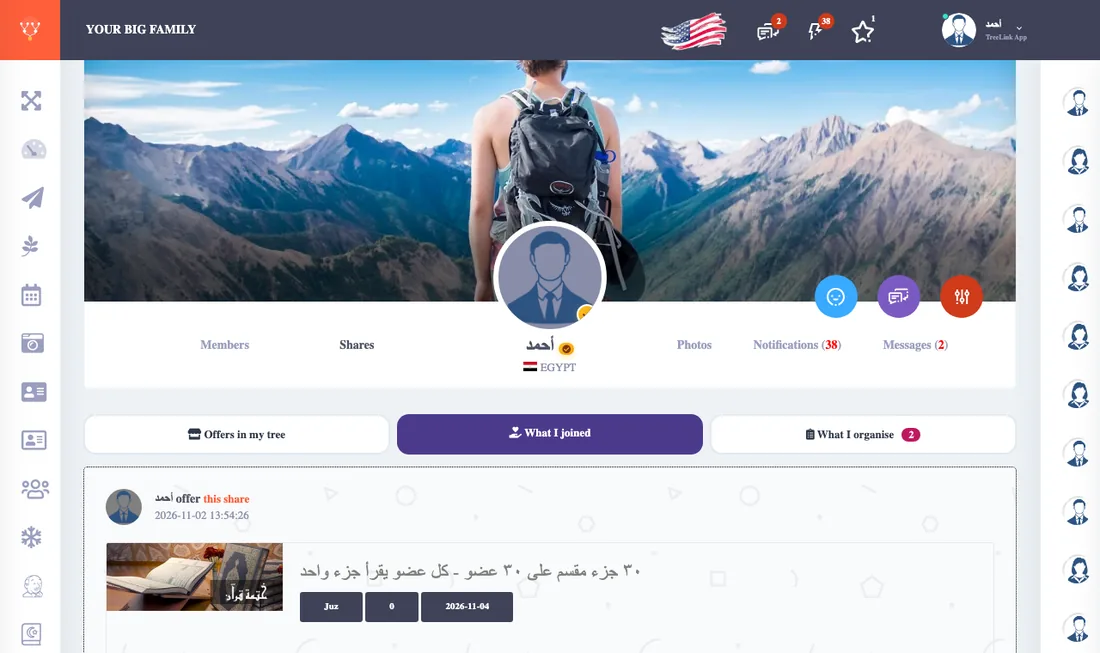
Joining
- Open Offers in my tree and find the share.
- Choose a free part and press Choose, then confirm.
- If someone took the same part first you get a message. Choose another part.
You cannot join after the organiser has started the share.
Paying
- Pay the organiser the way you agreed outside the app.
- Open What I joined and press I paid beside the payment. It becomes "waiting for confirmation".
- The organiser confirms and it becomes "paid".
Reminders
You get a notice in the bell three days before a payment is due, then a day before, then on the day, then every three days if it is late. What you marked paid is not reminded. The menu also shows a badge with the number of payments you owe.