
The development plan and daily tracking
Pick from each result the points you will work on, arrange them, then tick them every day from the dashboard.
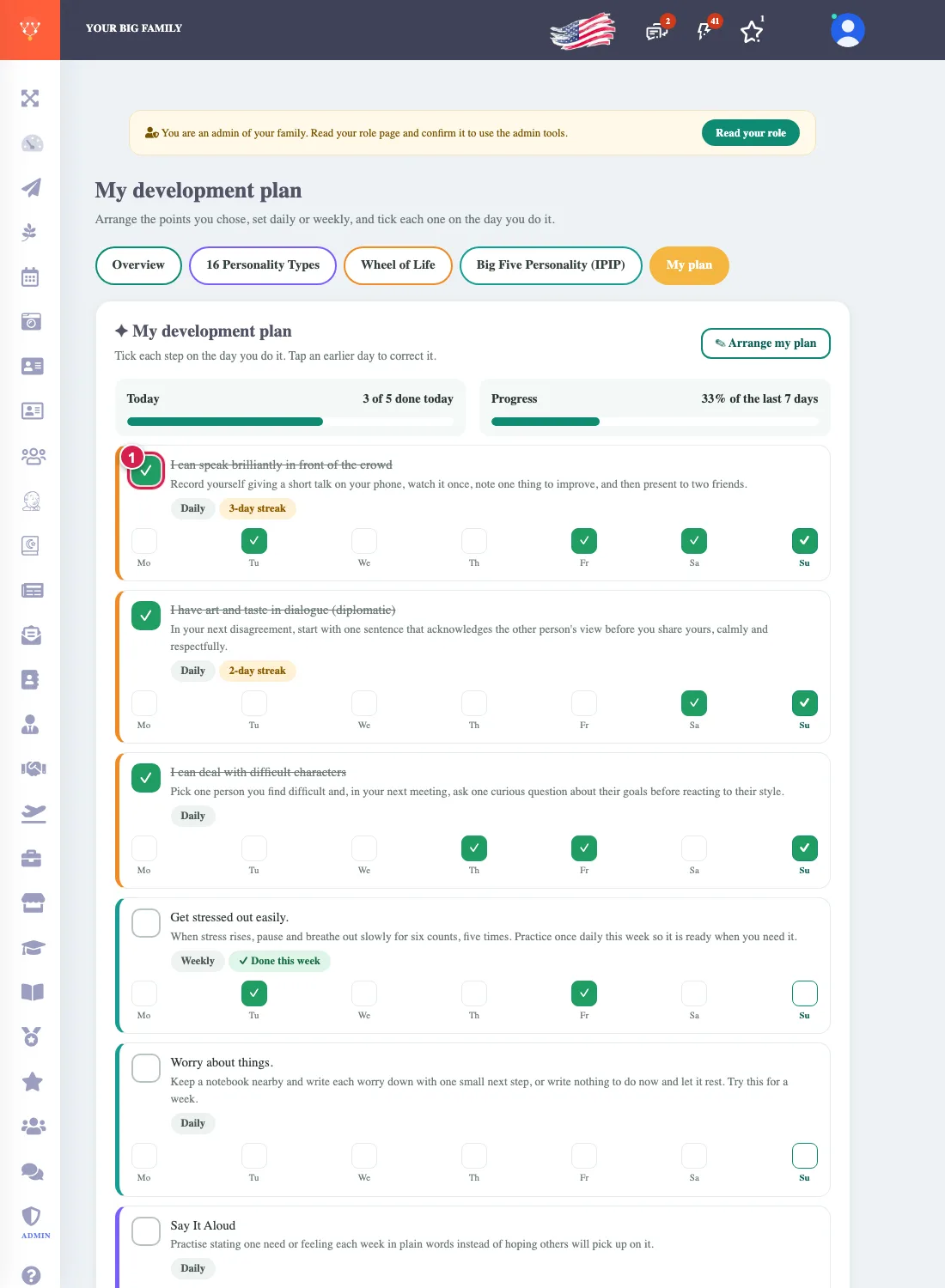
After each test the result page has What needs development. Choose what you want to work on and it becomes your plan. You do not need to finish all three tests: the plan starts with the first point you add.
Building the plan
- On a result page press Add to my plan beside each point you want (or Add all for a whole group). Press again to take it out.
- The bar at the bottom counts the points in your plan and opens it.
- In My plan ② arrange the points with the arrows, make each daily or weekly, or remove it.
Every day
On the dashboard and on the My plan page you tick ✓ ① a point on the day you do it. You see the last seven days and can correct any of them by pressing it, your streak of days, and your progress. You cannot tick a coming day or a day before the point was added.
Your points stay saved and read in whichever language you open the site, and retaking a test leaves your plan as it is.