
Memorise with a plan, and review so you do not forget
Reading the surah again is not enough. TreeLink tests your memory: you recite with the text hidden, and it decides what you review today based on your level and your time.
Memorise by listening and repeating
Listen to each verse in the reciter's voice you like, repeat, then press "Memorised". The Mushaf page switch moves the highlight with the verse.
Review by recalling with the text hidden
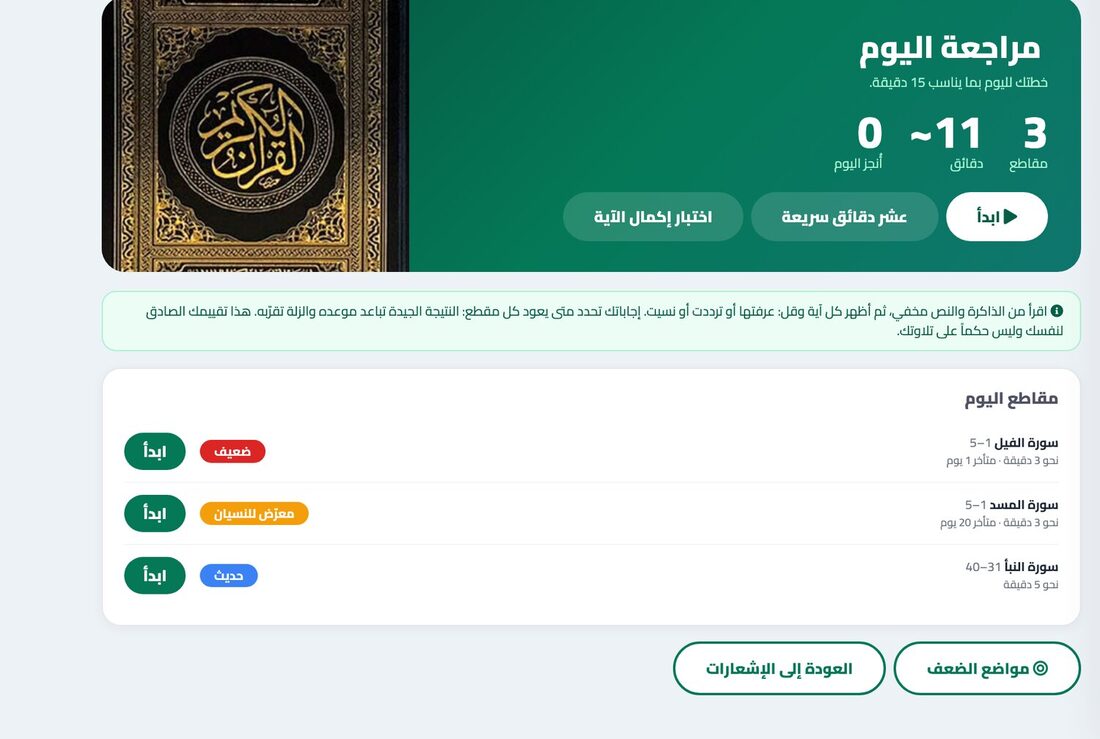
Every ten verses or so is a passage. Recite it from memory, then say: I knew it, I hesitated, I forgot.
Smart spacing for your level
A passage you knew comes back later and one you slipped on comes back sooner, so you only review what you need, in the time you choose: 10, 15, 20 or 30 minutes.
Weak spots and a family khatma
A colour map of each surah's passages shows the strong and the weak, and a khatma splits its thirty parts among your relatives.
How to start
- Choose to begin from Al-Fatiha, from An-Nas or any surah.
- Listen, repeat, then press "Memorised".
- Open "Today's review" and recite the passages due.
- Follow your weak spots and review again.
Frequently asked questions
How do I memorise the Quran in an organised way?
Choose your starting point and record what you know. The app splits surahs into passages of about ten verses and makes a daily plan for the time you choose.
How does review by recall work?
It shows a passage with the text hidden, you recite from memory, then honestly rate yourself. Your answer decides when the passage returns.
Is this a judgement of my recitation?
No. It is your own honest rating to organise your review, not a judgement of your recitation or tajweed.
Can I complete a khatma with my family?
Yes. Under Shares there is a Quran khatma type that splits the thirty parts among your relatives and tracks their progress.