
The family trip, the Eid sacrifice and the savings circle: all organised, no chaos
In TreeLink you invite relatives and set the seats and deposit; each person records their payment and the organiser confirms it, so everyone knows who paid and who is left, and the app never holds anyone's money.
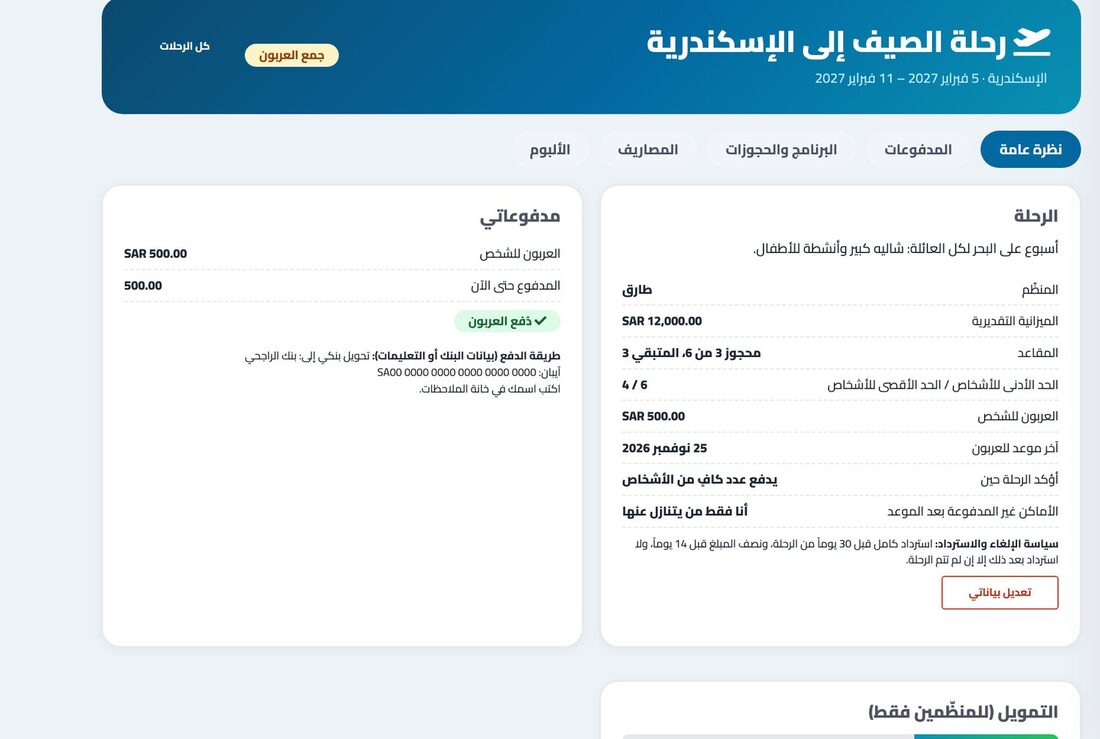
The seat goes to who pays first
Invite more than you need. Whoever records their deposit first takes the seat, and the rest are on a waiting list and are told if a seat frees up.
Receipts, deadlines and reminders
A payment is recorded with its reference and a receipt photo; the organiser confirms it and a numbered receipt is issued. Late ones show so the organiser can extend or release the place.
Expenses split fairly
Split equally or by amounts, see who owes whom with suggested transfers to settle, and a private album for those who were on the trip.
Sacrifices, circles and khatmas
Pick the type and the number of parts, relatives choose their parts, and the organiser starts once it is full, with reminders before each payment is due.
How to start
- Create the trip or share and set the number and the amount.
- Invite relatives and wait for payments to be recorded.
- Confirm payments as you receive them.
- Follow the expenses and photos after the trip.
Frequently asked questions
How do I plan a family trip with relatives?
Create the trip with destination, dates and deposit, and invite relatives. You follow who confirmed and who paid, and keep the daily programme, bookings and expenses in one place.
Does the app receive the money?
No. Payment happens between you in your own way; each person records their payment and the organiser confirms it, so the app never holds anyone's money.
How do I organise an Eid sacrifice or a savings circle among siblings?
Create a share of the right type, each sibling picks their part and records their payment, gets reminders before the deadline, and you follow who paid and who is left.
What if someone does not pay the deposit on time?
It shows as "late" to the organiser, who can extend the deadline or release the place to the next person on the waiting list, manually or automatically if they chose that.